

As organizations expand their GIS environments and rely more heavily on web maps, services, field mobility, and integrated systems, performance challenges can surface in ways that are hard to predict and even harder to diagnose. ArcGIS Monitor offers a means to see what’s happening “behind the curtain” by continuously tracking system health, resource usage, service responsiveness, and system bottlenecks; it enables observability for ArcGIS Enterprise deployments.
Quartic has helped multiple agencies of different sizes deploy, configure, and operationalize ArcGIS Monitor, transforming the way they understand and maintain their ArcGIS Enterprise environments. Many times, we’ve heard clients say: “My organization is small. Will ArcGIS Monitor be overkill?”
Our answer is no. We believe anyone with an ArcGIS Enterprise setup will benefit from the observability information tracked and recorded by ArcGIS Monitor.
This article highlights three different ways ArcGIS Monitor is being used by Quartic clients: Valley Center Municipal Water District, Vallecitos Water District, and the City of San Diego, as well as best practices we recommend for ArcGIS Monitor configuration.
Valley Center Municipal Water District: Tackling Intermittent Slowdowns with a Data-Driven Approach
Valley Center Municipal Water District (VCMWD) is located in northeast San Diego County. It provides water, wastewater, and water recycling services to approximately 30,000 residents and commercial and agricultural customers. VCMWD relies on ArcGIS Enterprise to support a small GIS team of two and approximately 85 field staff who access feature services as part of their asset management workflows.
Quartic Solutions helped VCMWD deploy ArcGIS Monitor, configure key metrics, and build a custom analysis view showcasing the water district’s most important resources and alerts. The custom analysis view displays consolidated system health indicators into a single view tailored for their environment.
Prior to installation, VCMWD’s GIS editor was noticing problems with slowness and functionality. Once deployed, ArcGIS Monitor immediately identified the root of the issue: Some of the instances that were set to shared were being queried too heavily to be in the shared pool. The instances were then changed to dedicated, resolving the performance issues.
Field workers were also experiencing intermittent performance issues when feature services timed out with a very slow response time. ArcGIS Monitor pinpointed a problem with the Cityworks asset management system. While the feature services that provide the actual data to Cityworks were responsive, ArcGIS Monitor revealed that a key background geometry service was being heavily used by Cityworks, allowing the problem to be quickly addressed and resolved.
Today, VCMWD uses ArcGIS Monitor to track system health, send alerts on critical thresholds, and identify possible causes for performance issues as they arise. Quartic continues to help interpret alerts and investigate anomalies, providing support that the district’s small GIS team can rely on.
Vallecitos Water District: Proactive Monitoring for a Lean GIS Team
Vallecitos Water District (VWD) provides water, wastewater, and reclamation services to over 108,000 residents in San Marcos and other nearby communities in northern San Diego County. VWD has a small GIS team, however its GIS applications are utilized by many users within the organization. Performance and uptime are important to them. VWD’s IT department also values the window ArcGIS Monitor provides into its enterprise GIS, and the metrics it offers to better understand how VWD’s GIS system functions.
Quartic recommended enabling ArcGIS Monitor and completed the installation, configuration, and alert setup for VWD. Best practices for ArcGIS Monitor setup include not using its default alert settings, so Quartic disabled nonessential warnings and configured only critical alerts, such as low disk space, server outage detection, and resource overutilization to ensure the team receives actionable notifications.
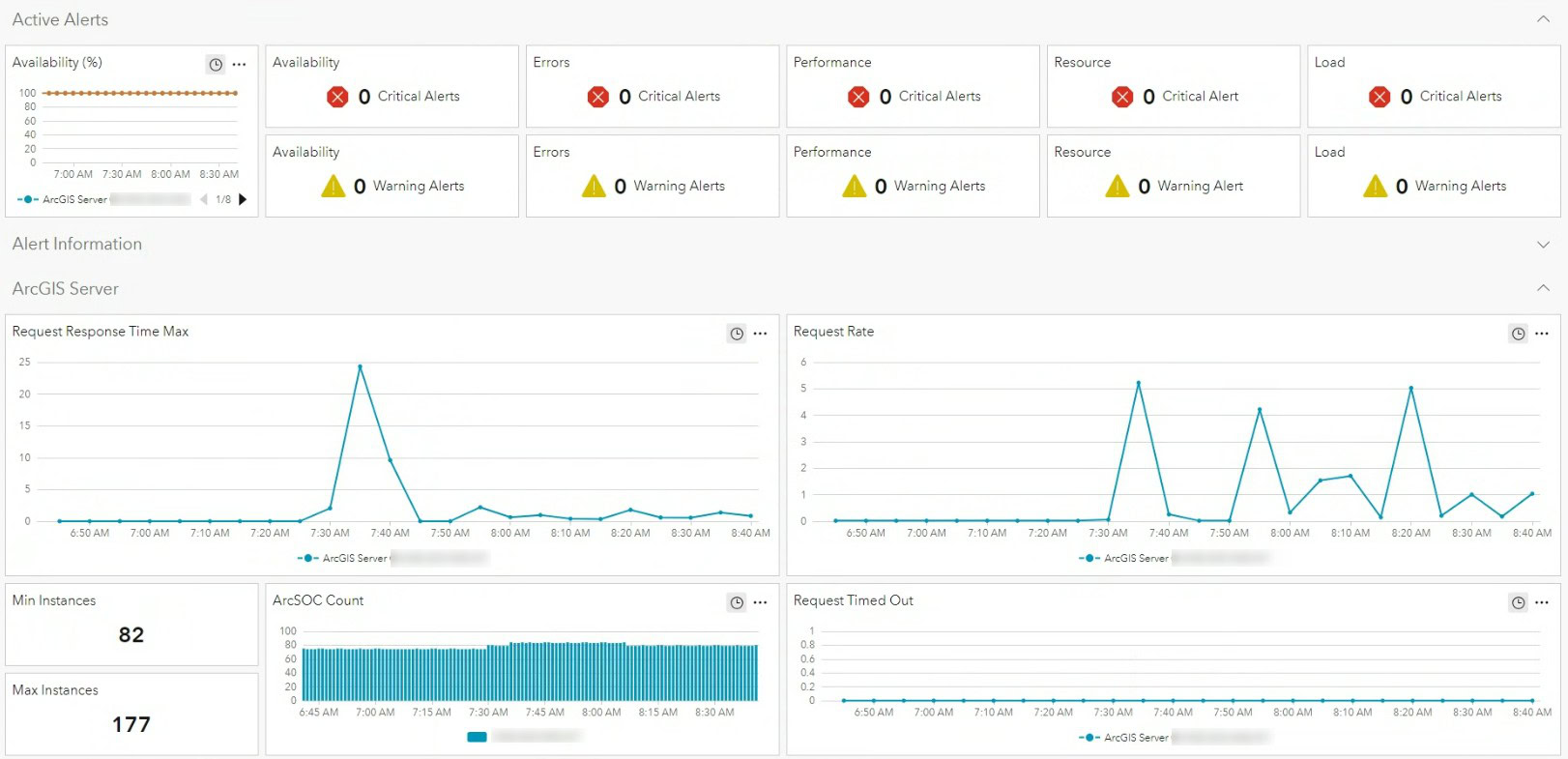
ArcGIS Monitor now continuously tracks system resources, service responsiveness, Enterprise portal and ArcGIS Server availability, ArcGIS Data Store health, and the federation between Enterprise components. When a critical alert is triggered, the GIS team forwards it to Quartic, who investigates the root cause and provides appropriate technical support.
VWD also benefits from using ArcGIS Monitor for troubleshooting. When staff report slowness, unexpected behavior, or delays in calculations, Quartic uses ArcGIS Monitor’s logging, graphs, and historical analysis to pinpoint the issue quickly, often uncovering patterns or bottlenecks that would otherwise go unnoticed.
City of San Diego: Scaling Monitoring Across Complex Environments
The City of San Diego serves 1.4 million residents and is the second most populous city in the state of California. Due to its large size, the City maintains multiple ArcGIS Enterprise environments and multiple ArcGIS Monitor deployments to support them. With complex infrastructure and many mission-critical applications, the City must understand not only system behavior, but also which performance metrics truly matter.
Quartic helps manage the City’s ArcGIS Monitor environments by interpreting alerts, validating threshold settings, and ensuring that warnings align with operational priorities. Because ArcGIS Monitor comes pre-configured with numerous alert thresholds, Quartic guides the City in tuning the application to match its environment and avoid unnecessary noise.
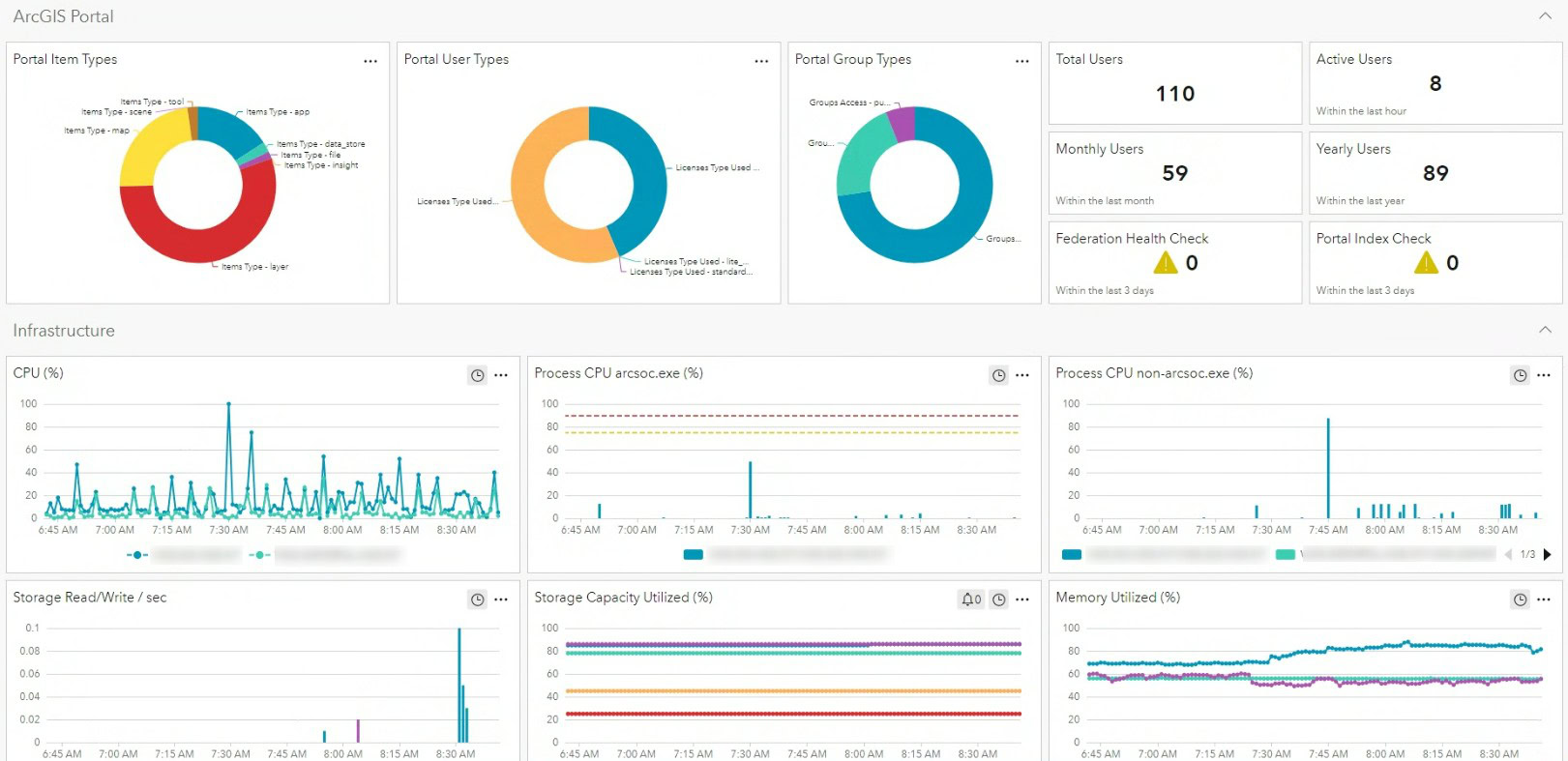
A key advantage for the City is the ability to standardize ArcGIS Monitor’s analysis views and apply a consistent structure across multiple environments. Quartic’s customized ArcGIS Monitor analysis view gives IT and GIS teams a concise view of essential metrics, including server health, service responsiveness, resource consumption, and active alerts. This helps the City’s GIS staff focus on meaningful signals rather than raw data.
Quartic’s Role Across All Deployments
Across each ArcGIS Monitor deployment, Quartic Solutions provides:
- Installation and configuration of ArcGIS Monitor
- Custom analysis views tailored to client environments, highlighting critical metrics at a glance
- Tuning of thresholds and alerts to reduce noise
- Ongoing interpretation of logs, alerts, and performance patterns
- Troubleshooting support informed by real-time and historical data
- Recommendations to improve resource allocation, architecture, and service design
Best Practices for Implementing ArcGIS Monitor
Quartic’s technical team recommends the following to optimize use of ArcGIS Monitor.
- Customize thresholds carefully. Overly tight thresholds create false alarms; only critical and meaningful alerts should be enabled.
- Focus on actionable alerts. Alerts should correspond to issues that users would actually notice (e.g., services down, servers under-resourced).
- Configure a meaningful home page. Tailored analysis views reduce cognitive load and help teams focus on what matters.
- Use ArcGIS Monitor both proactively and reactively. Monitor can prevent outages and is also invaluable for fast troubleshooting.
- Combine ArcGIS Monitor data with expert interpretation. Many clients rely on Quartic to understand what metrics truly mean and how to resolve underlying issues.
Turning Insights into Action
ArcGIS Monitor offers clear visibility into the health, performance, and stability of GIS environments. When configured effectively and paired with expert interpretation, it enables proactive monitoring, fast troubleshooting, and reliable operations.
For organizations of all sizes, Quartic helps turn ArcGIS Monitor data into actionable insights, empowering teams to optimize performance today while building long-term operational resilience for mission-critical GIS systems.