
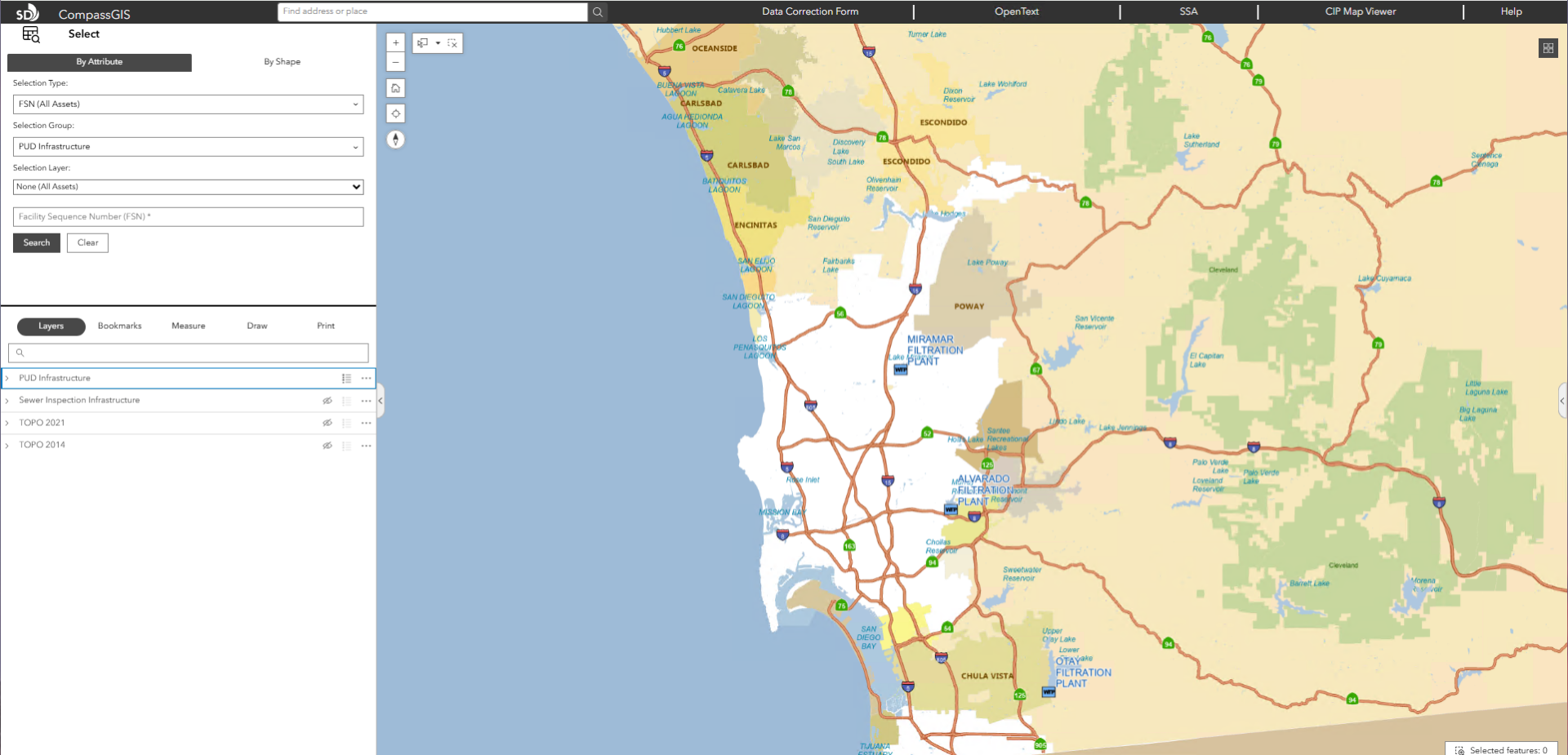

The City of San Diego’s Public Utilities Department (PUD) serves more than 2.3 million wastewater customers and provides drinking water to 1.4 million residents. The department manages a vast infrastructure network, including nine reservoirs, three water treatment plants, three wastewater treatment plants, 131 pump stations, and over 6,300 miles of pipelines.
To support day-to-day operations, thousands of city employees across departments rely on timely access to accurate utility data for planning, maintenance, and emergency response.
Challenge
PUD’s existing data viewing application, CompassGIS Viewer, had been in use for over a decade and was becoming increasingly difficult to maintain. Built on an aging ArcGIS JavaScript API architecture, the application had performance issues, intermittent service disruptions, and growing technical debt.
PUD needed a modernized, lower-maintenance platform that could improve reliability while expanding functionality for city staff.
Technical Solution
Over a two-year engagement, Quartic designed and delivered a modernized data viewing platform built on ArcGIS Experience Builder, significantly reducing backend complexity while improving flexibility and performance.
The solution was enhanced with custom widgets and integrations to support enterprise workflows and external systems. Experience Builder provided a configurable framework for application layout, navigation, and map interaction, enabling faster development and easier long-term maintenance.
Key integrations included:
- ASP.NET API for delivering inspection media (CCTV videos, images, and documents)
- Microsoft Report Server integration for on-demand sewer inspection reporting
- OpenText integration for direct access to engineering records and drawings
- ArcGIS Maps SDK for JavaScript for advanced feature interactions and data exchange
Enterprise Data Access
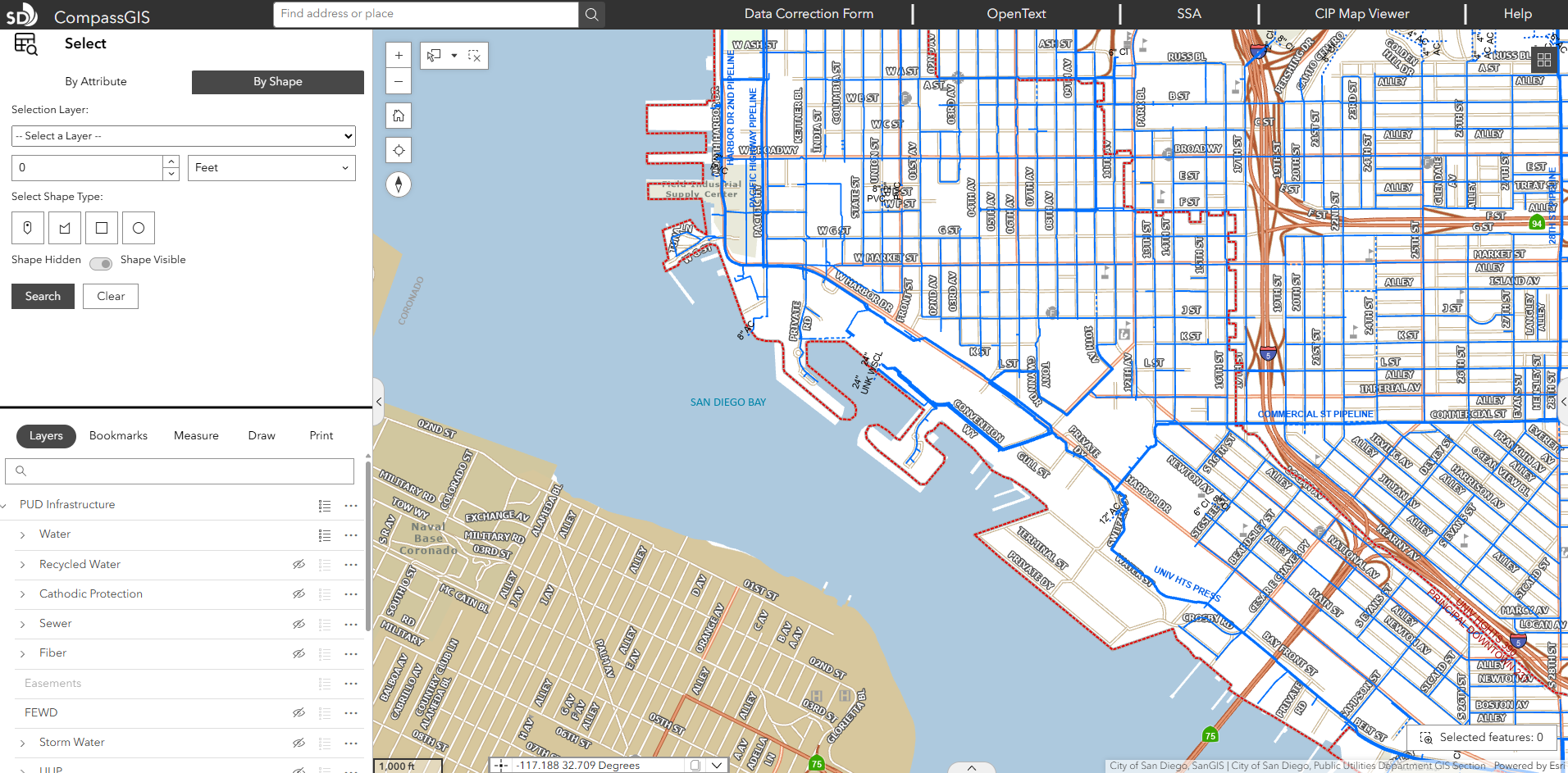
Users log in using Active Directory credentials and access over 100 utility asset types, including water valves, sewer mains, and recycled water infrastructure. Supporting layers include council districts, easements, capital improvement projects, and topographic data. Data is refreshed weekly to ensure accuracy across departments.
Smart Search and Selection Tools
Advanced search capabilities allow users to query across all layers or specific datasets, quickly locate assets, and view results in dynamic tables. The Selection Tool enables spatial selection of infrastructure (e.g., valves, mains) and exports results for reporting and operational planning, supporting rapid decision-making during maintenance or emergency events.
Integrated Documents and Media
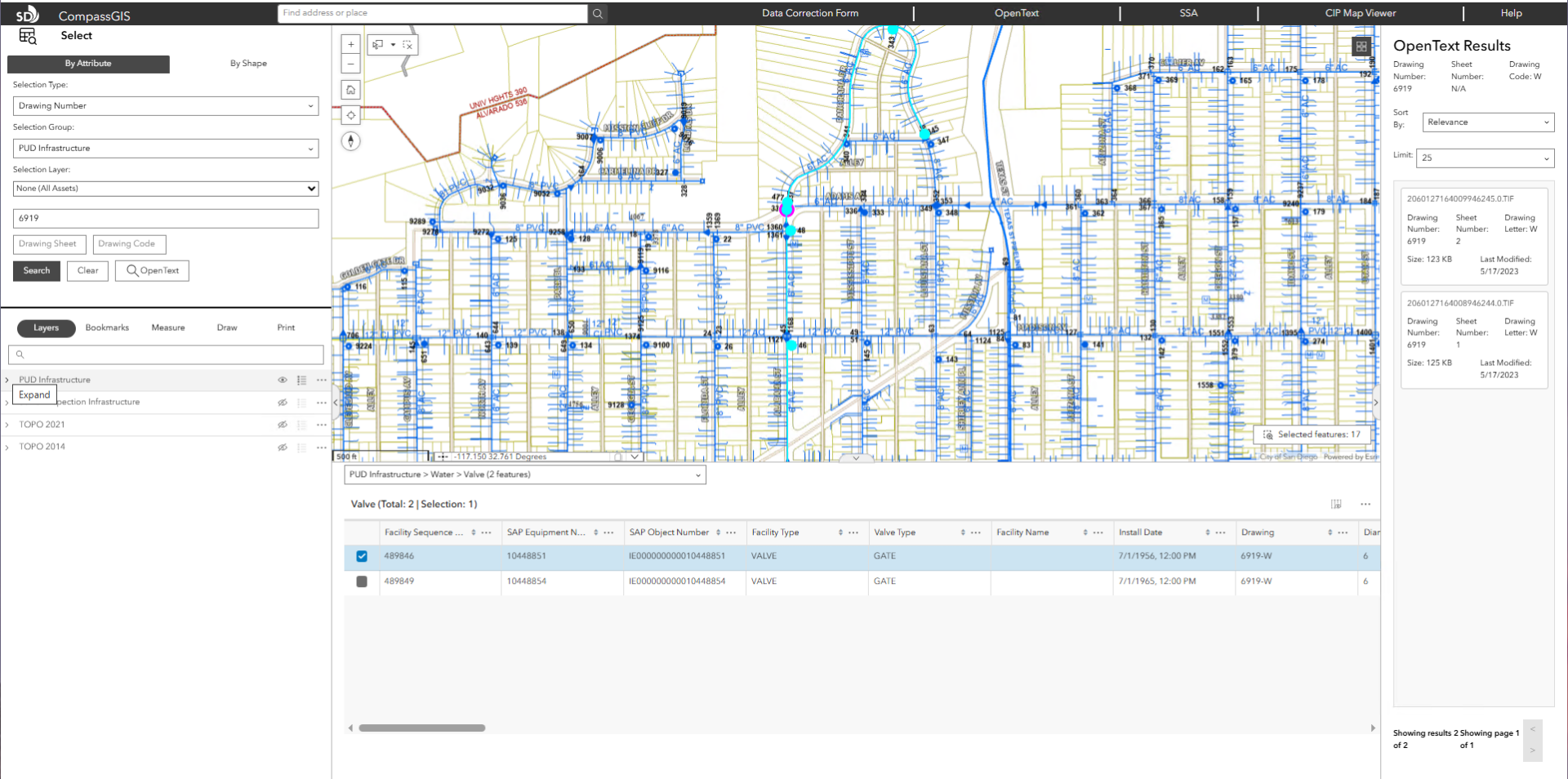
The Integrated Document Viewer connects directly to OpenText, allowing users to access as-builts, drawings, inspection videos, and reports without leaving the map interface. This eliminates system switching and significantly reduces time spent retrieving records.
Enhanced Mapping and Context Tools
The application includes right-click tools that provide instant contextual information such as Google Street View access, geolocation, and surrounding area previews. Pop-up widgets consolidate asset attributes with related documents, media, and inspection records into a single view.
Dynamic Operational Tables
Custom tables dynamically update based on user selections, displaying only relevant layers and attributes. Users can switch layers, filter results, and access linked documents directly from the table interface, improving workflow efficiency and reducing manual lookup time.
Out-of-the-Box Widget Enhancements
Two of the most widely used widgets include:
- Layers Widget: Used by the Wastewater Collection Division to visualize maintenance cycles. Assets are color-coded based on risk and maintenance frequency, allowing teams to quickly identify high-priority infrastructure.
- Selection Tool Widget: Enables spatial selection using tools such as lasso selection, improving precision when analyzing affected assets during maintenance or service disruptions.
“This could have easily taken a couple hundred hours on its own to accomplish, but Experience Builder let us build the application layout and many aspects of the required functionality in a fraction of that time.”
Andre Loerch, Quartic Senior GIS Developer
Software/Technology

ArcGIS Pro

ArcGIS Experience Builder
Other technology used:
- ArcGIS Server
- Portal for ArcGIS
- ArcGIS Maps SDK for JavaScript
- ASP.NET API
- Microsoft Reports Server
Results
The new application officially launched in September 2025 and is already changing how departments work. Staff use the data viewing tool for tasks like valve maintenance, hydrant replacements, engineering planning, sewer video inspections, and emergency response coordination.
Key outcomes include:
- Faster access to critical infrastructure data across departments
- Streamlined workflows through integrated documents and reporting tools
- Reduced training time (under two hours for new users)
- Improved system stability and performance through modern architecture
- Strong user adoption driven by intuitive design and reduced complexity
“Its a tremendous upgrade from what we had, and it’s evolving into a one-stop shop for all city mapping and data needs.”
-Rod Miramontez, GIS Analyst, City of San Diego Public Utilities Department